Pay Only After You Rank

100% USA-Based

30 Keywords In 30 Days

No Contract Required

why choose us?

Pay Only After You Rank

30 Keywords In 30 Days

100% USA-Based

No Contract Required

Google Business Profile suspension recovery for service-area businesses, a step-by-step playbook

When your Google Business Profile gets suspended, it feels like your phone line got unplugged. Calls slow down, Maps visibility drops, and you’re left guessing what tripped the wire.

For google business profile suspension recovery, service-area businesses (SABs) have one extra problem: you don’t serve customers at a storefront, but Google still expects rock-solid proof that you’re real, eligible, and following SAB rules.

This playbook walks you through what to fix, what to collect, and how to submit a clean reinstatement request without making the suspension worse.

What suspension looks like for a service-area business (soft vs hard)

Most owners only notice something’s wrong when leads stop. The type of suspension matters because it changes what you can see and manage.

Suspension typeWhat you’ll noticeWhat it usually means
Soft suspensionYour profile may still appear, but you can’t manage it normallyGoogle has restricted access while it reviews trust or policy issues
Hard suspensionYour profile disappears from Search and Maps, reviews go hiddenGoogle has removed the listing from public view pending reinstatement

Google’s official guidance is the best place to confirm the basics and next steps: Fix suspended or disabled profiles.

Do this first: stop editing and capture a “before” snapshot

A common mistake is panic-editing. If you keep changing your name, categories, service areas, and phone number, it becomes harder to prove what’s true. Take 15 minutes and freeze the scene.

Snapshot checklist (quick but important):

  • Screenshot your Business Profile in Search (the management panel).
  • Screenshot key fields: business name, primary category, service areas, phone, website.
  • Write down what changed in the last 7 to 30 days (new address, new manager, new phone, category swap, etc.).
  • Check your email for Google messages about verification, policy, or suspicious edits.

This snapshot helps you build a clean timeline when you submit your appeal.
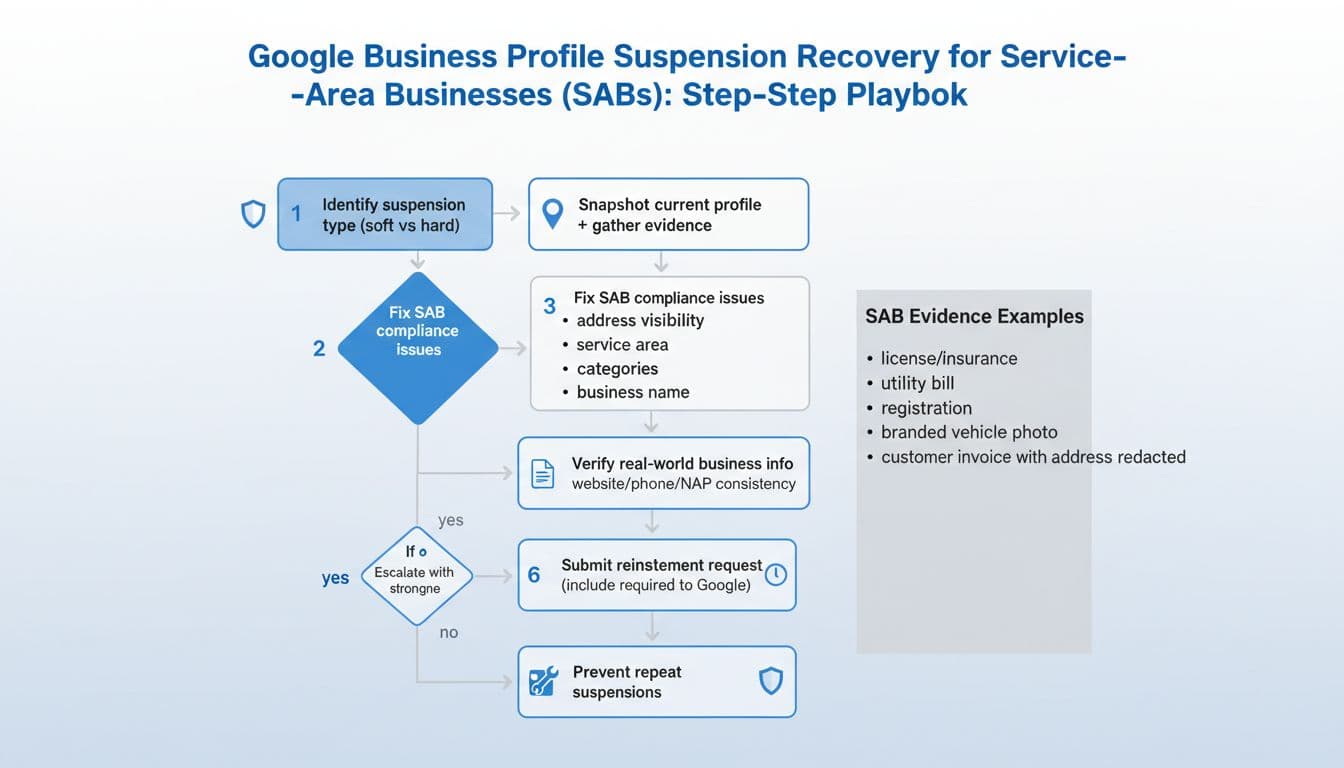
The step-by-step SAB playbook for reinstatement

Clean, modern vertical infographic flowchart with 8 steps for recovering suspended Google Business Profiles for Service-Area Businesses, featuring icons, decision points, and a sidebar of evidence examples like licenses and invoices.
An AI-created flowchart showing the full SAB suspension recovery process from identifying the suspension type to preventing repeat issues.

Step 1: Identify the most likely trigger (don’t guess wildly)

Google often doesn’t spell out the exact reason. Your best clue is what changed.

Common SAB triggers:

  • Address issues: showing a home address when you shouldn’t, or using a virtual office.
  • Business name edits: adding extra keywords (even if you see competitors doing it).
  • Big trust changes: new phone number, website, or category all at once.
  • Duplicates: multiple profiles for the same business.

For a grounded list of suspension causes (especially name and address issues), this breakdown is helpful: top reasons Google suspended your listing.

Step 2: Fix SAB compliance issues before you appeal

If your listing is out of policy, appealing without fixing it wastes time.

Focus on these SAB-specific items:

Address visibility

  • If you’re an SAB and don’t serve customers at your location, your address should be hidden.
  • Don’t use coworking spaces or mailbox locations as a “public” storefront.

Service areas

  • List the cities or ZIP codes you truly serve.
  • Avoid listing huge areas you can’t realistically cover.

Business name

  • Use the real-world name. No extra services, no location stuffing.
  • Match signage, registration, and your website.

Categories

  • Pick a primary category that matches what you actually do.
  • Don’t pick categories “for reach” if you can’t prove the service.

Step 3: Make your real-world signals match (website, phone, citations)

Google looks for consistency, especially after a suspension.

Tighten these:

  • Website contact page: business name, phone, and service area language should match your profile.
  • Phone number: use one primary number that’s also on your site.
  • Business mentions across the web: Yelp, Facebook, BBB, local directories, industry sites.

If your NAP info is messy, fix it in your core listings first. This is one of the fastest trust wins you can control.

Step 4: Build a strong evidence packet (think “proof of life”)

Google wants proof you exist and operate where you say you do. Clean, matching documents beat long explanations.
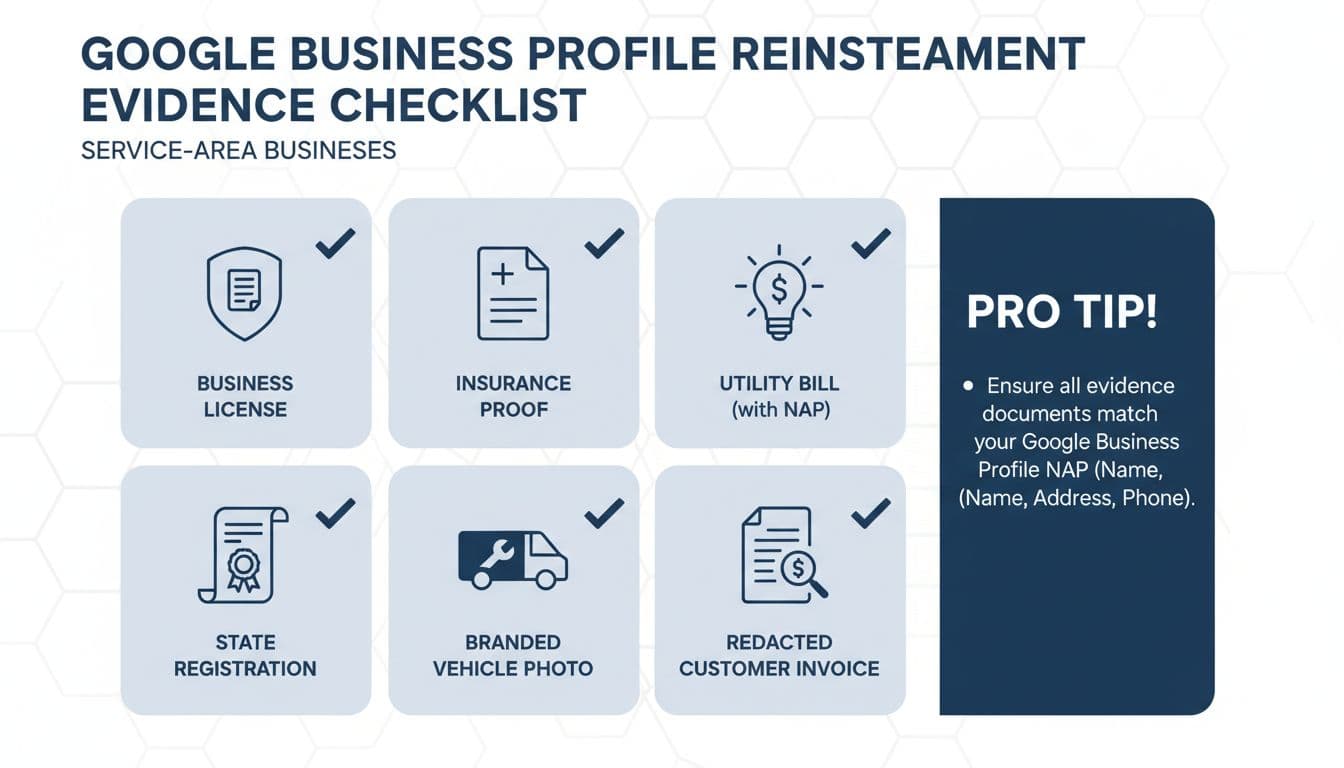
Clean, modern high-contrast infographic displaying a central checklist of 6 essential evidence items for Google Business Profile reinstatement appeals for service-area businesses, including business license, insurance proof, utility bill, state registration, branded service vehicle photo, and redacted customer invoice, with a sidebar tip on NAP consistency.
An AI-created checklist of common documents that can help support a reinstatement request for a service-area business.

Evidence that often helps SABs:

  • Business registration (state filing)
  • Business license (if your trade requires it)
  • Insurance certificate (common for home services)
  • Utility bill showing business name and address
  • Photo of branded vehicle or equipment
  • Customer invoice (redact private info, keep location/service context)

Make sure the business name and address on documents match what you’re using in the profile (even if the address is hidden publicly).

Step 5: Submit the reinstatement request and upload evidence fast

Use the official appeal flow. When you submit, have your files ready.

One detail many owners miss: after submitting, you may have a limited window to add documents (often about an hour), so don’t start until your evidence packet is finished.

Practical walkthroughs can help you avoid mistakes during submission, like this guide: How to Reinstate A Suspended Google Business Profile.

Two rules that prevent delays:

  • Don’t create a new profile for the same business.
  • Don’t submit multiple appeals while one is being reviewed.

Step 6: Track the case and respond like a contractor, not a lawyer

In January 2026, many reinstatements still take days to weeks, and some take longer if the category is “high-risk” (locksmiths, HVAC, legal, etc.). You’ll typically get a case email, then wait for review.

When Google asks for more info:

  • Reply with exact files and short explanations.
  • Keep names consistent (use the same business name everywhere).
  • Don’t attach blurry photos or cut-off documents.

If your reinstatement is denied: what to do next

A denial usually means one of three things:

  1. The listing is still out of policy (name or address issues are common).
  2. Your proof didn’t match the profile details.
  3. Google doesn’t trust the location or business entity yet.

Re-check the basics:

  • Is your address hidden properly for an SAB?
  • Do your documents show the same business name?
  • Are you using a real service business location (not a mailbox store)?
  • Is there a duplicate profile floating around?

Then rebuild your evidence with stronger, clearer documents and re-submit if the appeal path allows it. Keep the explanation short, and let your documents do the heavy lifting.
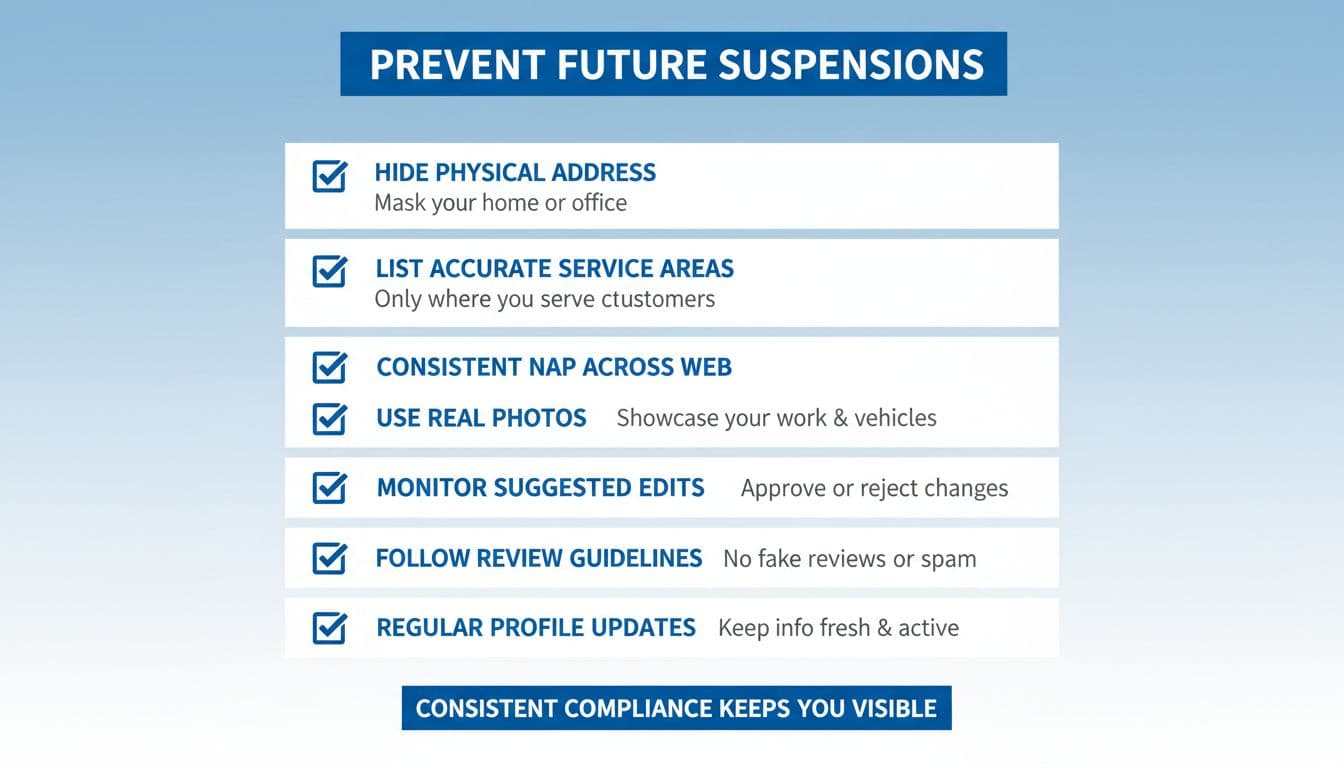
Prevent repeat suspensions (the boring checklist that saves you)

Clean, modern infographic providing a 7-item prevention checklist for Google Business Profile suspensions specific to service-area businesses, with checkmark icons and brief descriptions.
An AI-created prevention checklist to help SABs reduce the risk of getting suspended again.

Once you’re back, treat your profile like a safety checklist. Small, steady updates beat big changes.

Keep it clean:

  • Hide your address if you’re not customer-facing.
  • Use real photos (jobs, vehicles, equipment).
  • Watch for “suggested edits” and fix them fast.
  • Ask for reviews the right way, don’t use sketchy review tactics.
  • Avoid frequent name changes or category flipping.

After recovery: turn your listing into a lead asset, not a fragile profile

Getting reinstated is step one. Step two is building enough trust and relevance that your rankings stick.

That’s where performance-driven SEO thinking helps: track what creates calls, build content around real services, and measure wins in leads, not busywork. If you want a clear example of results-based options (including pay-after-you-rank), start with Pay‑After‑You‑Rank SEO packages. And if your business is eligible for LSAs, pairing Maps visibility with Local Service Ads management can steady lead flow while organic rankings recover.

Conclusion

A suspension doesn’t mean you’re done, but it does mean Google wants clearer proof and cleaner compliance. Follow the steps, fix SAB rules first, submit strong evidence, then stay consistent once you’re reinstated. The goal isn’t just getting your profile back, it’s keeping it stable so google business profile suspension recovery becomes a one-time event, not a recurring fire drill.

Need Help? Get In Touch!

If you have questions about anything, please do not hesitate to contact us. All messages are responded to within 24 business hours (most within 1 business hour).

ANY QUESTIONS

Ready to Speak With a Marketing Expert

Contact Us

Our internet marketing experts are always available to assist you with any of your issues, needs or requests.

Launch Targeted Campaign

Our goal is to help clients plan, build, and execute their digital advertising campaigns using the best of human expertise

Achieve Lasting Growth

When you work with us, we want to be able to provide you with a unique service that helps your business grow, without having to invest a lot upfront.

Results-Based

We only start billing once we get you on page 1 of Google.

Affordable

Our monthly fees are made for small businesses.

Fast Results

Almost all of our clients get ranking within 1-2 months.

No Contract

We don't lock you in. All services are month-to-month.