
If you run pay-for-performance SEO, phone calls can feel like the missing puzzle piece. Rankings look great, traffic is up, and then the client asks the only question that matters: “Did it make the phone ring?”
The hard part is that SEO call tracking can accidentally break the very data you need to prove results. Done wrong, it can muddy GA4 attribution, confuse local SEO signals, and turn reporting into a blame game. Done right, it ties calls to landing pages and sources without messing with your Google Business Profile (GBP) or citations.
Most tracking problems come from one of these mistakes:
Dynamic Number Insertion (DNI) is still the cleanest path for most sites, as long as you implement it in a way that keeps the canonical number stable. If you need a quick refresher on what DNI is, this overview of dynamic number insertion explains the core concept well.
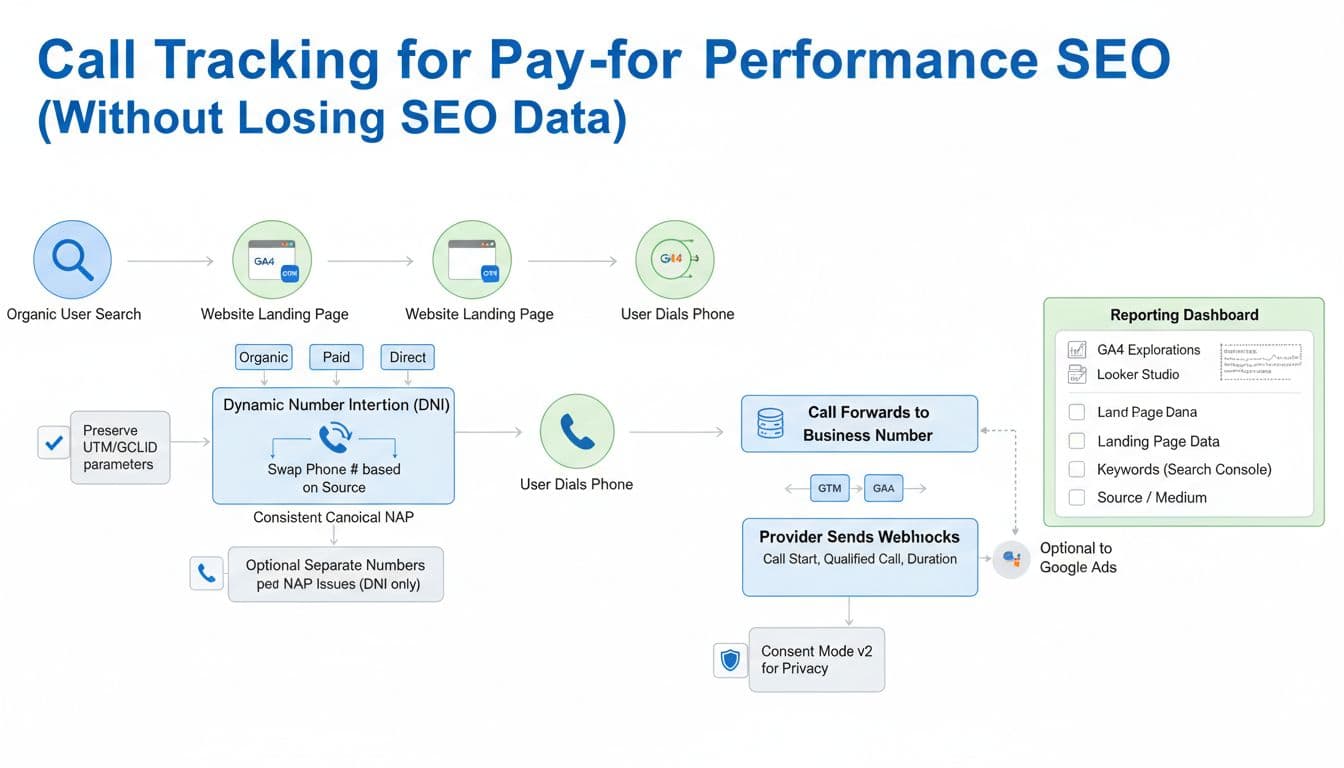
DNI is the best option when you want one site-wide setup that can attribute calls from organic, paid, direct, referrals, and even offline campaigns. The key is to treat your “real” phone number like your home address. It should stay consistent everywhere that Google might treat as a trust signal.
Start by choosing the single primary number that should appear in:
If possible, port that number into your call-tracking provider, so you can keep it long-term even if you switch vendors later.
Use JavaScript-based DNI so the canonical number remains in the HTML. That’s the difference between “a tracking layer” and “a site rewrite.” Most call tracking platforms support JS DNI for this reason.
Practical safeguards that help preserve SEO data:
source=google and medium=organic, assign from the “SEO pool.” If gclid exists, assign from the “Paid pool.”If your SEO pool is too small, you’ll get number re-use collisions (two visitors share the same tracking number), which ruins attribution.
A simple starting point:
Then validate with your provider’s “number re-use” or “session overlap” reporting.
Sometimes DNI isn’t an option. Common reasons include strict CMS limitations, a franchise site with locked templates, or a client who refuses any JS changes.
In that case, use static tracking numbers by channel, with strict rules:
The tradeoff is accuracy. Static numbers are more like “colored buckets” than true session-level attribution. They can still work for pay-for-performance if you control where each number appears and you keep the canonical number untouched in citations and GBP.
If you go this route, be disciplined: never place the SEO tracking number in the footer site-wide, and don’t let it leak into directory listings.
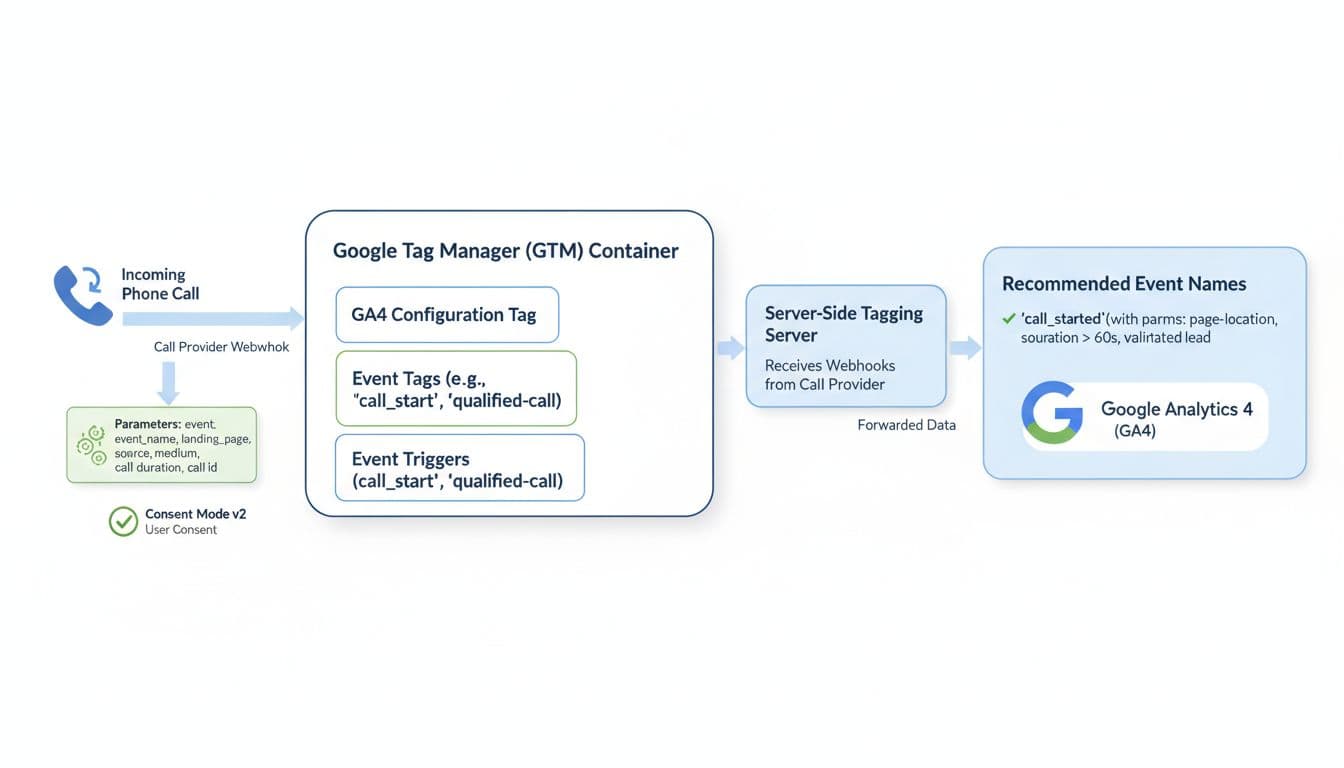
Your call-tracking platform should send call events into GA4. The cleanest pattern is: provider detects call, provider sends webhook, your tagging layer sends GA4 events (client-side or server-side).
If you can, use a server-side GTM endpoint to reduce loss from blockers. Google’s guide on sending data to server-side Tag Manager is a solid starting point.
Keep naming simple and consistent so reporting stays readable.
Suggested events:
call_startedcall_qualifiedcall_completed (optional, if you want both raw and filtered events)dni_assigned (optional, useful for debugging DNI mapping)Suggested parameters (avoid PII like full phone numbers):
landing_page (store the first page of the session, not just current page)page_locationsource, medium, campaign (or source_medium as one combined field)call_duration (in seconds)call_id (provider’s unique ID)call_outcome (example: qualified, unqualified, spam, missed)traffic_type (example: organic, paid, direct)gclid / utm_campaign when present (don’t overwrite organic sessions)A helpful rule: mark only call_qualified as a GA4 conversion, keep call_started as a normal event for volume and QA.
Search Console won’t show calls directly, but you can still keep organic reporting clean by:
If your provider supports webhooks, validate the call first (duration, dedupe, lead status), then send the conversion event. That way GA4 doesn’t get polluted with junk conversions.
Pay-for-performance collapses if you don’t agree on what counts. “Phone rang” is not the same as “lead.”
A solid qualified-call definition uses three gates: intent, duration, and uniqueness.
Here’s a practical template you can share with clients:
| Rule | Example setting | Why it matters |
|---|---|---|
| Minimum duration | 60 to 120 seconds | Filters quick spam and misdials |
| Unique caller window | 7 to 30 days | Stops repeat calls inflating totals |
| Outcome tag | Qualified, booked, estimate requested | Aligns marketing and sales |
| Exclusions | spam, existing customer support, wrong number | Keeps billing fair |
For lead validation, use one (or more) of these:
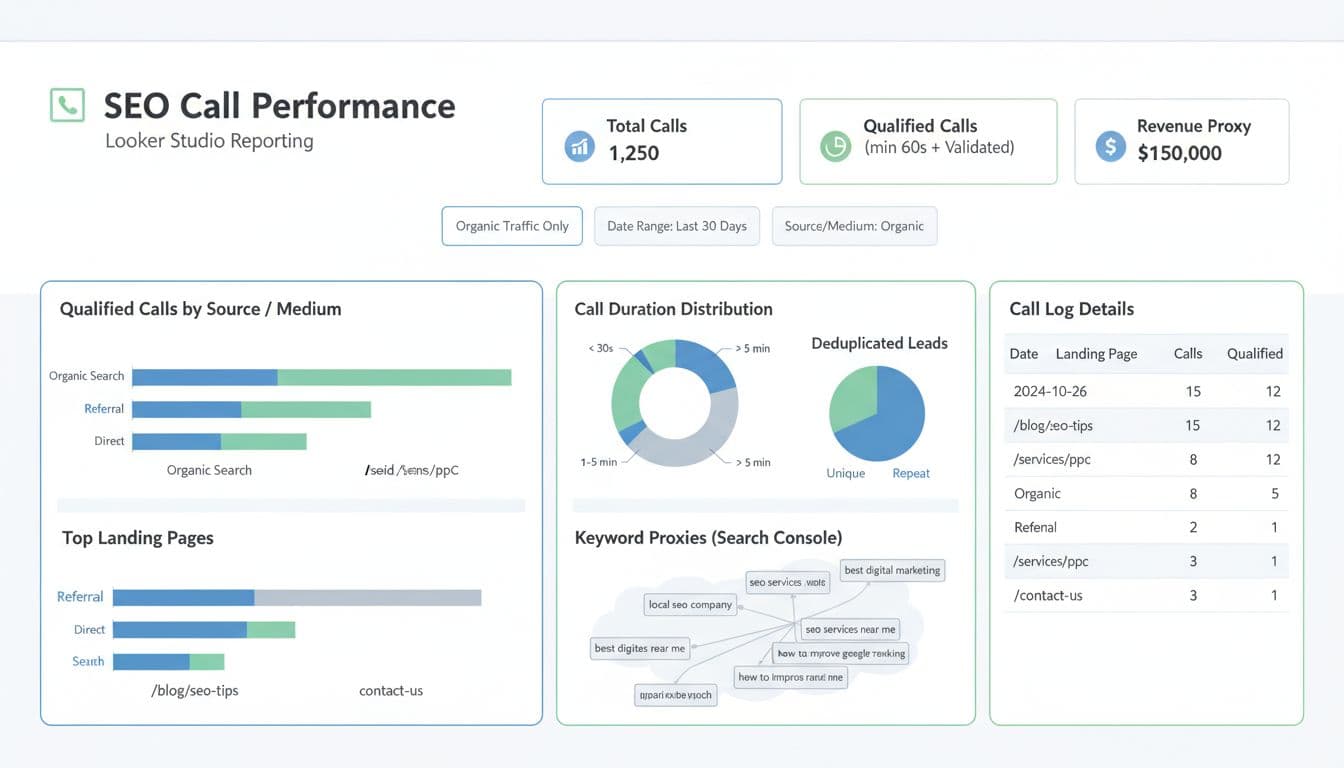
In GA4, build a simple Exploration with:
landing_pagesource / mediumcall_qualified)call_started)In Looker Studio, keep it client-friendly:
For general SEO measurement context, this guide on SEO performance metrics is a useful reference when you want to pair call leads with search visibility.
Local SEO is where call tracking gets risky. Phone number consistency is part of trust, and citations spread fast.
Rules that keep you safe:
If you need a refresher on why this matters, this article on NAP consistency lays out the risks clearly. For schema guidance, this NAP schema markup guide is a helpful checklist.
Call tracking touches personal data, so treat it like one.
Keep it simple:
For a practical view of how Consent Mode v2 affects call tracking, see Infinity’s breakdown of Consent Mode v2 for call tracking.
Phone calls shouldn’t be a blind spot in pay-for-performance SEO. With SEO call tracking done the right way, you can tie qualified calls back to organic landing pages and source/medium, without wrecking NAP signals or muddying GA4.
Pick the model that fits the site (DNI when you can, static numbers only when you must), define “qualified” in writing, and push clean conversion events into GA4. Then your reporting matches reality, and so does your billing.


